Artificial Intelligence is rapidly becoming part of everyday education and professional life. What once seemed like advanced technology is now available through simple applications that can help people write, research, study, organize information, create presentations, analyze data, design images, and communicate more effectively.
For students, AI tools can make learning more interactive and help explain difficult concepts. For professionals, they can reduce repetitive work, improve productivity, and provide support with research, writing, planning, and creative tasks.
However, knowing about AI tools is only the beginning. The most important skill is understanding when and how to use them responsibly. AI can save time, but it can also make mistakes, produce inaccurate information, or create work that lacks originality if it is used without human judgment.
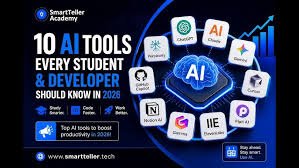
Here are ten AI tools that students and professionals should know about in 2026.
1. ChatGPT — An All-Purpose AI Assistant
ChatGPT is one of the most widely recognized AI assistants. Developed by OpenAI, it can help users with writing, learning, brainstorming, coding, research, summarization, analysis, and many other tasks.
Students can use ChatGPT to understand difficult subjects, create practice questions, develop study plans, summarize information, and receive explanations at different levels of difficulty.
For example, a student studying biology could ask:
“Explain photosynthesis as if I am a beginner, then give me five practice questions.”
Professionals can use ChatGPT to draft emails, summarize documents, brainstorm business ideas, analyze information, create outlines, and assist with technical work.
One of its greatest strengths is its conversational nature. Instead of asking one question and starting over, users can continue the conversation and refine the answer.
However, users should remember that ChatGPT can sometimes provide incorrect or outdated information. Important facts should therefore be verified, especially when dealing with academic, financial, medical, legal, or professional decisions.
2. Google Gemini — AI for Research and Productivity
Google Gemini is Google’s family of AI assistants and models. It can help users answer questions, generate content, brainstorm ideas, summarize information, and perform other AI-assisted tasks.
One of its advantages is its connection to Google’s broader ecosystem. Depending on the user’s account and available features, Gemini can work alongside services and applications within Google’s productivity environment.
For students, it can be useful for explaining concepts, generating study ideas, organizing information, and brainstorming research topics.
Professionals can use it for drafting content, planning projects, analyzing information, and assisting with everyday productivity.
As with other AI assistants, users should verify important information rather than assuming every generated answer is correct.
3. Microsoft Copilot — AI for Work and Productivity
Microsoft Copilot is an AI assistant integrated across parts of Microsoft’s ecosystem. It can help users write, summarize, analyze, research, brainstorm, and complete various productivity tasks.
For professionals who already use Microsoft products, AI assistance can become part of familiar workflows.
For example, AI can help create or improve written content, summarize information, generate ideas, or assist with documents and other workplace tasks, depending on the specific Microsoft product and plan.
Students can also benefit from AI-assisted writing, studying, brainstorming, and research.
The biggest advantage for many users is convenience. Instead of switching between multiple applications, AI capabilities can be incorporated into tools people already use.
4. Perplexity — AI-Powered Research
Perplexity is an AI-powered search and research tool designed to provide conversational answers while citing sources.
Traditional search engines generally provide a list of links that users must open and evaluate individually. AI research tools attempt to summarize information and provide supporting sources within the response.
This can be particularly useful for students and professionals who need to research a topic quickly.
For example, a student researching renewable energy could ask:
“Compare solar, wind, and hydropower using recent sources.”
A professional could use it to explore an industry, investigate a market, or gather background information.
However, citations should still be checked. A source being included does not automatically mean that every statement in an AI-generated summary is accurate.
5. Grammarly — AI for Better Writing
Good communication is important in both education and professional life. Grammarly uses AI to help users improve their writing.
It can identify grammatical errors, spelling mistakes, unclear wording, and issues with style. Depending on the product and features available, it can also help users rewrite text and adjust its tone.
Students can use writing assistance when reviewing essays, assignments, applications, and other documents.
Professionals can use it for emails, reports, presentations, proposals, and business communications.
The most useful way to use AI writing assistance is not simply to accept every suggested change. Writers should understand why a change improves the sentence and make the final decision themselves.
Good writing still requires human judgment, context, and a clear understanding of the intended audience.
6. Canva — AI for Design and Presentations
Canva is a popular visual-design platform that has incorporated AI-powered features into its creative tools.
It allows users to create presentations, posters, social media graphics, documents, marketing materials, and other visual content without requiring advanced graphic-design skills.
Students can use Canva to create attractive presentations, project materials, posters, and educational graphics.
Professionals can use it to produce presentations, promotional materials, social media content, internal communications, and marketing designs.
AI can make the design process faster by helping users generate ideas and content. However, users should still review layouts, images, text, and factual information before publishing or submitting anything.
7. Notion AI — AI for Notes and Organization
Notion is a workspace and productivity platform that combines notes, documents, databases, project management, and organization. Its AI features can assist users with tasks such as summarizing information, generating ideas, organizing content, and working with notes.
For students, Notion can serve as a digital study workspace. They can organize class notes, assignments, schedules, research materials, and study plans.
Professionals can use it to organize projects, meeting notes, company information, task lists, and documentation.
The combination of organization and AI is particularly useful because productivity is not only about generating information. It is also about keeping information organized and accessible.
8. GitHub Copilot — AI for Programmers
For students and professionals interested in software development, GitHub Copilot is an important AI tool to know.
It is designed to assist programmers by suggesting code and helping with software-development tasks. Instead of writing every line from scratch, developers can describe what they want and receive coding suggestions.
Students learning programming can use AI assistance to understand code, explore examples, and learn programming concepts.
Professional developers can use it to accelerate routine coding tasks, explore solutions, and work with unfamiliar code.
However, developers should never assume that AI-generated code is automatically correct or secure. Code must be reviewed, tested, and understood before it is used in an important application.
AI can help programmers work faster, but it does not eliminate the need for programming knowledge.
9. Adobe Firefly — AI for Creative Content
Adobe Firefly is a generative AI technology from Adobe that provides AI-powered creative capabilities.
It can assist with creating and modifying visual content and is particularly relevant to designers, marketers, photographers, content creators, and creative professionals.
Students can use generative AI tools to experiment with visual concepts and learn about digital creativity.
Professionals can use them for brainstorming, creating design concepts, generating visual variations, and speeding up certain parts of creative workflows.
As generative AI becomes more common in creative industries, understanding how to combine AI-generated material with human design skills will become increasingly valuable.
Users should also pay attention to licensing, ownership, and the rules surrounding AI-generated content when creating work for commercial or academic purposes.
10. Otter.ai — AI for Meetings and Transcription
Meetings, lectures, interviews, and discussions can produce large amounts of information. AI transcription tools such as Otter.ai can help convert spoken conversations into written text and organize important information.
For students, transcription can help when reviewing lectures or interviews, where appropriate and with the necessary permission.
Professionals can use transcription and meeting-assistance tools to capture discussions, identify important points, and reduce the amount of manual note-taking required.
This can improve productivity because people can focus more on the conversation instead of trying to write down every sentence.
However, privacy is important. Users should understand organizational policies and obtain appropriate permission before recording or transcribing other people.
Why Students Should Learn AI Tools
Students are entering a world in which AI will increasingly influence education and employment. Learning how to use AI responsibly can therefore become an important part of digital literacy.
AI tools can help students:
- Understand difficult concepts
- Practice new skills
- Organize study materials
- Brainstorm ideas
- Improve writing
- Research topics
- Create presentations
- Analyze information
- Prepare for interviews
- Learn technical skills
But students should avoid becoming dependent on AI.
The purpose of education is not simply to produce answers. It is to develop knowledge, reasoning, creativity, communication, and problem-solving abilities.
A student who uses AI to explain a difficult mathematics problem and then solves similar problems independently is using AI as a learning tool. A student who simply copies an AI-generated solution without understanding it is missing the educational benefit.
Why Professionals Should Learn AI Tools
AI is also changing professional workplaces. Employees who understand how to use AI effectively may be able to complete certain tasks more quickly and focus their attention on higher-value responsibilities.
Professionals can use AI for:
- Writing and editing
- Research
- Data analysis
- Meeting notes
- Project planning
- Customer communication
- Presentations
- Coding
- Brainstorming
- Content creation
The goal should not necessarily be to replace human workers with AI. Instead, organizations can use AI to help people perform their jobs more effectively.
The most valuable employees may increasingly be those who combine professional expertise with the ability to use AI tools intelligently.
How to Choose the Right AI Tool
There are thousands of AI-powered applications available, so beginners may wonder where to start.
The best approach is to begin with the problem you want to solve.
If you need a general-purpose assistant, ChatGPT or Gemini may be useful.
If you need research support, Perplexity may be worth exploring.
If you need writing assistance, Grammarly can help.
For visual design, Canva and Adobe’s creative AI tools can be useful.
For programming, GitHub Copilot can provide coding assistance.
For organization, Notion AI can combine notes and productivity features.
For meetings and transcription, tools such as Otter.ai can help.
The “best” AI tool depends on your specific needs, budget, workflow, and the privacy requirements of your work.
Important Things to Remember When Using AI
AI tools are powerful, but responsible use is essential.
First, verify important information. AI systems can make mistakes.
Second, protect private information. Do not unnecessarily upload confidential business documents, passwords, financial information, or sensitive personal data.
Third, respect academic and workplace rules. Some schools, universities, and organizations have specific policies about AI use.
Fourth, review AI-generated work. Never assume that generated text, code, images, or analysis is automatically correct.
Finally, keep developing your own skills. AI should help you become more capable, not less independent.
The Future of AI Tools
AI tools are likely to become increasingly integrated into everyday software. Instead of opening a separate AI application, people may interact with AI directly inside their documents, email, browsers, design programs, programming environments, and workplace systems.
AI agents may also become more capable of performing multiple steps on behalf of users. Rather than simply generating an answer, future AI systems may be able to research a topic, organize information, create a document, analyze the results, and complete related tasks.
This means that knowing how to work with AI may become as important as knowing how to use traditional productivity software.
However, human skills will remain essential. Creativity, communication, critical thinking, emotional intelligence, leadership, and decision-making cannot simply be replaced by a software tool.
Conclusion
AI tools are rapidly changing how students learn and how professionals work. From ChatGPT and Gemini to research assistants, writing tools, design platforms, coding assistants, and meeting transcription services, AI can help people save time and accomplish tasks more efficiently.
The ten tools discussed in this article represent different areas of AI-powered productivity and creativity. They can help with learning, writing, research, organization, design, programming, communication, and many other activities.
But the real advantage does not come from using the largest number of AI tools. It comes from knowing which tool is appropriate for a particular problem and using it responsibly.
Students should use AI to strengthen their understanding rather than avoid learning. Professionals should use it to improve their productivity without giving up human oversight. Everyone should verify important information, protect sensitive data, and understand the limitations of AI.
The future of work and education will likely involve people and AI working together. Those who learn how to use these tools thoughtfully—while continuing to develop their own knowledge and skills—will be better prepared for an increasingly AI-powered world.